6 Months of Building AI Products: What I Actually Learned
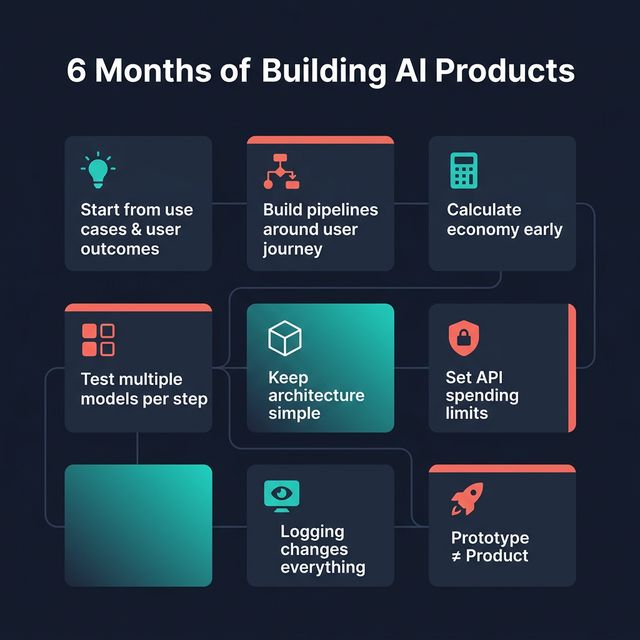
Exciting period in terms of gaining practical experience in AI. I've advised companies building AI products across health tech, productivity, and travel industries, prototyped ideas from my backlog, and shipped a few tools to automate my work.
Then I sat down to reflect on this experience. I listed out what I'd actually observed and learned.
Start from use cases, not from AI
The basic principles of product management are still relevant. Start from use cases, user flows, and user outcomes. This sounds obvious — and it is the single most common mistake I've seen across the products I advised. Keep in mind: sometimes you don't need AI.
Build pipelines around the real user journey
Don't build your AI pipeline around what's technically convenient. Map it to the actual user journey first, then figure out where AI adds value at each step.
Calculate the economy at the beginning
Costs per action, per generation, per outcome. If you don't know your unit economics before scaling, you'll be surprised — and not in a good way.
Don't use only one model for everything
Test different models based on the outcome of each pipeline step. It helps you balance costs and quality. Some steps need the smartest model, others work fine with a lighter one.
Keep your product architecture simple
Complexity is the enemy of shipping. The simpler your architecture, the easier it is to debug, iterate, and maintain.
Set spending limits on your API keys
Take your numbers based on your project. I'm starting from $10–50. It's a small thing that prevents nasty surprises.
Even basic logging changes everything
The gap between "I think it works" and "I can see what's happening step by step" is crucial to get visibility on your pipeline. Once real users show up, you need to see what's actually going on. QA in AI products is a different thing.
A local prototype doesn't mean a product
An AI prototype developed locally doesn't mean the product can be used by more than one person. There are a few more hidden steps before the release. But it saves a lot of time to reduce misunderstandings between developers and PMs.
Originally posted on LinkedIn.
I write about building AI products. Follow on LinkedIn. Building something similar? Book a call.
← Blog